You’re in the zone, typing away on your beloved mechanical keyboard, when your elbow catches the edge of a coffee mug. Time slows as liquid cascades across your desk and seeps between the keys. That sinking feeling in your stomach is universal among keyboard enthusiasts who’ve invested hundreds of dollars into their setup. Liquid spills, accumulated dust, and general neglect represent the biggest threats to mechanical keyboards, and the damage they cause often proves irreversible without immediate intervention. The good news? Much of this damage is entirely preventable. Keycap sets serve as more than aesthetic upgrades—they’re a frontline defense tool for proactive keyboard maintenance. Removable, washable, and designed to shield delicate switches underneath, quality keycap sets make routine care dramatically easier while protecting your investment. In this article, we’ll explore why keyboard maintenance matters, how keycap sets facilitate protection, what to do when disaster strikes with a liquid spill, and the best practices that will keep your mechanical keyboard performing flawlessly for years to come.
Understanding the Risks: Why Keyboard Maintenance is Crucial
Mechanical keyboards represent a significant investment, with enthusiast-grade boards often costing anywhere from $150 to well over $500. Yet many owners treat them as disposable peripherals, neglecting the routine care that ensures peak performance and longevity. This oversight proves costly. A well-maintained mechanical keyboard can last a decade or more, with switches rated for tens of millions of keystrokes. However, that impressive lifespan assumes the internal components remain free from contaminants that accelerate wear and cause premature failure. Regular keyboard maintenance isn’t just about keeping things looking clean—it directly impacts typing feel, actuation consistency, and electrical reliability. When debris builds up beneath keycaps, it interferes with switch mechanisms, creating inconsistent keystrokes that frustrate typists and gamers alike. Moisture introduces an even more serious threat, potentially destroying the PCB that serves as your keyboard’s brain. Understanding these risks is the first step toward developing habits that protect your gear.
The Dangers of Water Damage to Mechanical Keyboards
When liquid reaches a keyboard’s printed circuit board, the consequences unfold rapidly. Water and sugary beverages create conductive pathways between traces that should remain isolated, causing short circuits that can fry controller chips and render entire key clusters unresponsive. Even after the liquid evaporates, minerals and residues left behind promote corrosion that slowly eats through copper traces over subsequent weeks. The damage often manifests progressively—a key that worked fine yesterday suddenly registers double inputs or stops responding entirely. Repairing a corroded PCB requires advanced soldering skills and replacement components that may not be readily available, especially for boutique keyboard brands. In many cases, the repair cost approaches or exceeds the price of a new board, making prevention far more economical than cure.
Other Maintenance Challenges: Dust and Debris
Beyond liquid threats, everyday dust, hair, food crumbs, and skin oils gradually infiltrate your keyboard’s internals. These particles wedge themselves into switch housings, creating gritty friction that transforms smooth linear switches into scratchy, inconsistent mechanisms. Accumulated debris also serves as a breeding ground for bacteria, making neglected keyboards surprisingly unhygienic. Over time, sticky residue from oils and food can impede key return, causing missed keystrokes during fast typing sessions and degrading the premium feel you originally paid for.
How Keycap Sets Enhance Keyboard Maintenance and Protection
Most keyboard enthusiasts initially discover keycap sets through the lens of customization—swapping colors, profiles, and legends to create a unique aesthetic. However, the practical maintenance benefits of quality keycap sets deserve equal attention. Think of keycaps as armor plating for your switches. They serve as the primary barrier between environmental threats and the delicate mechanical components beneath, catching spills before liquid reaches the PCB, trapping dust particles before they infiltrate switch housings, and absorbing the oils from your fingertips that would otherwise degrade internal mechanisms. Owning a dedicated spare keycap set transforms keyboard maintenance from a dreaded chore into a simple swap-and-clean operation. Instead of meticulously cleaning each key in place—risking liquid dripping into switches—you can pull an entire set, drop them into a cleaning solution, and immediately install your backup set while the others dry. This rotation approach means zero downtime and consistently clean keycaps without compromise. Beyond facilitating cleaning, keycap sets provide an opportunity to inspect your switches regularly. Each time you remove keycaps for maintenance, you gain visual access to switch stems, the plate, and any debris accumulation that needs addressing. This routine visibility catches problems early, before a small amount of dust becomes a compacted layer of grime affecting performance. The protective qualities also extend to physical durability. Higher-quality keycap materials resist shine, wear, and chemical degradation far better than stock options, meaning your keyboard maintains its premium feel through years of heavy use.
What Are Keycap Sets and Their Benefits?
A keycap set is a complete collection of replacement caps designed to cover every key on your mechanical keyboard. These sets attach to switch stems via a cross-shaped mount (Cherry MX style being the most common) and can be removed in seconds using an inexpensive wire keycap puller. The two dominant materials in quality keycap manufacturing are PBT (polybutylene terephthalate) and ABS (acrylonitrile butadiene styrene). PBT keycaps offer superior durability, resistance to shine from finger oils, and a textured surface that maintains grip over time. They withstand cleaning solutions without warping or discoloring, making them ideal for owners who prioritize maintenance. ABS keycaps, while more prone to developing a polished sheen with use, offer vibrant color options and smoother legends. They’re lighter and typically less expensive, providing a budget-friendly entry into keycap rotation systems. The core maintenance benefit of any keycap set lies in removability. Unlike laptop keyboards or membrane boards where keys are essentially permanent, mechanical keyboard keycaps are designed for regular removal. This means you can wash them thoroughly in warm soapy water, scrub away accumulated grime with a soft brush, and dry them completely before reinstallation—all without exposing your keyboard’s electronics to moisture. Having a secondary set on hand ensures your keyboard remains functional throughout the cleaning process.
Choosing the Right Keycap Sets for Your Keyboard
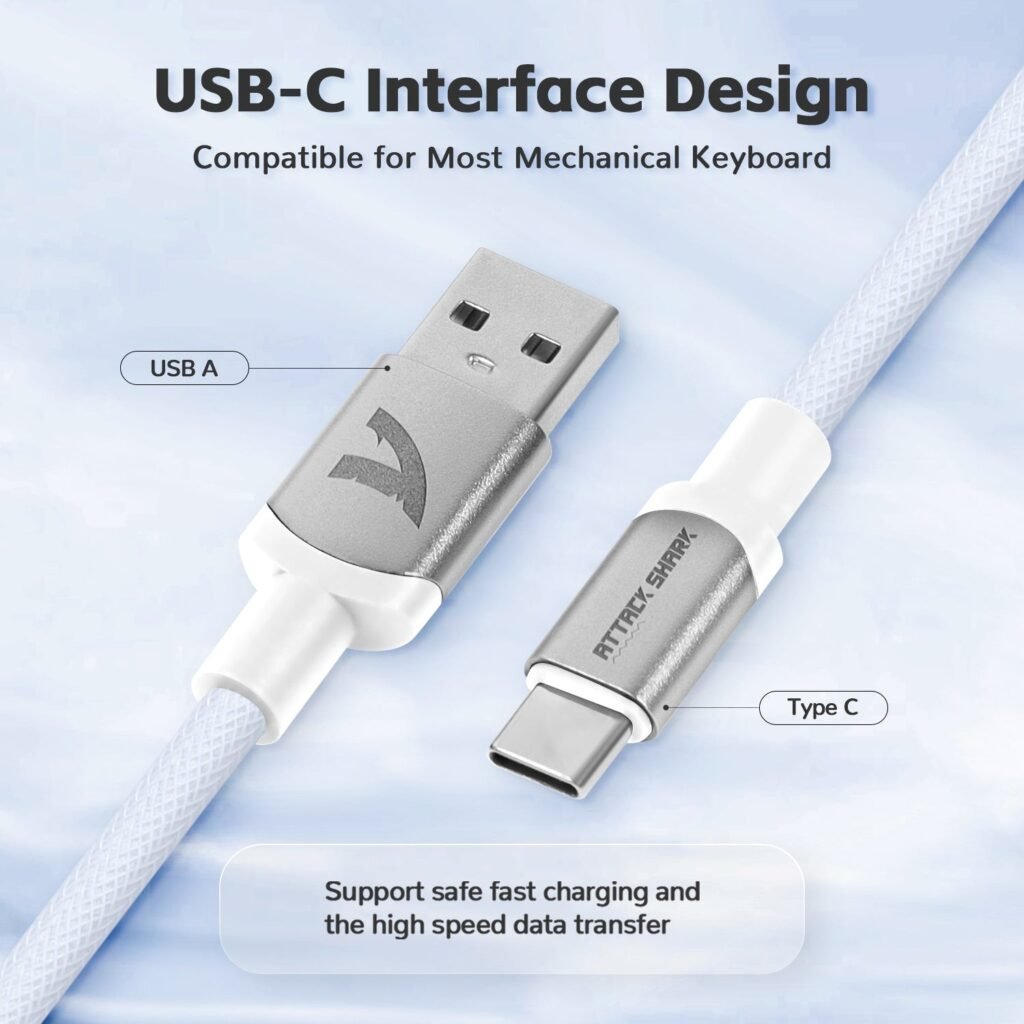
Selecting appropriate keycap sets requires attention to three factors: compatibility, profile, and material. First, confirm your keyboard’s switch stem type and layout. Most mechanical keyboards use Cherry MX-compatible stems, but verify whether your board has a standard bottom row—non-standard layouts found on some brands require specific sizing for modifier keys and the spacebar. Profile refers to the shape and height of keycaps. Cherry profile, OEM, SA, and DSA each offer different typing experiences and varying degrees of dust resistance. Flatter profiles like DSA and Cherry leave less vertical gap between keycaps, reducing the amount of debris that falls through to the switch plate. For maintenance-focused buyers, PBT material in a medium-height profile strikes the best balance between protection, cleanability, and typing comfort. Brands like ATTACK SHARK offer compatible keycap sets designed with durability in mind, making it easier to find options that suit both your layout and your maintenance goals. Look for sets with thick walls, as thicker keycaps provide better sound dampening and greater resistance to warping during hot-water cleaning. Finally, consider purchasing two compatible sets so you can rotate them during cleaning sessions, ensuring your keyboard never sits exposed or idle.
Step-by-Step Guide: What to Do After Spilling Liquid on Your Keyboard
The moment liquid hits your keyboard, a clock starts ticking. Every second that passes allows fluid to penetrate deeper into switch housings and reach the PCB below. Your response in the first thirty seconds largely determines whether your keyboard survives intact or suffers permanent water damage. The good news is that if you’ve been maintaining your keyboard with quality keycap sets, you already have an advantage—you’re familiar with removing keycaps quickly, and your switches are likely cleaner and less vulnerable to sticky residue trapping moisture against components. Panic is natural, but a calm, systematic approach saves keyboards. The steps below represent the consensus among repair technicians and keyboard community veterans who’ve collectively rescued thousands of boards from liquid disasters. Whether you’ve spilled plain water, coffee, soda, or something worse, these principles apply universally. The key differences lie in urgency—sugary or acidic liquids cause corrosion far faster than clean water, meaning you have less time before permanent damage sets in. Having your keycap puller accessible at your desk rather than buried in a drawer can make a meaningful difference in response time. Treat spill response like a fire drill: know the steps before you need them, and you’ll execute them instinctively when disaster strikes.
Immediate Response: Unplug and Assess
Disconnect your keyboard immediately—yank the USB cable without hesitation, as a short circuit caused by powered electronics contacting liquid is the fastest path to irreversible damage. Flip the keyboard upside down at an angle to let gravity pull liquid away from the PCB. Shake gently to encourage drainage. If you’re comfortable doing so and have your keycap puller nearby, remove keycaps from the affected area while the board remains inverted. This opens pathways for liquid to escape rather than pooling around switch stems. Assess the spill volume and type to determine your next steps.
Cleaning and Drying Techniques
With keycaps removed, use paper towels or a microfiber cloth to absorb visible moisture from the switch plate and around switch housings. For sugary or sticky spills, dampen a cloth with 90% or higher isopropyl alcohol and gently clean affected areas—alcohol displaces water and evaporates without residue. Place the keyboard upside down in a well-ventilated area for at least 48 hours. Silica gel packets placed around the board accelerate drying effectively. Avoid hair dryers or ovens, as excessive heat warps PCBs and damages switch housings. Patience during this drying phase is non-negotiable.
Testing and Recovery
After a full 48 hours of drying, reconnect your keyboard and test every single key using an online key tester. Press each key multiple times, checking for double-registering, failure to register, or delayed response. If specific keys malfunction, remove those keycaps again and apply isopropyl alcohol directly to the affected switches, actuating them repeatedly to work the alcohol through the mechanism. Should problems persist after a second cleaning and drying cycle, consider professional repair services that specialize in PCB restoration before writing off the board entirely.
Best Practices for Ongoing Keyboard Care with Keycap Sets
Preventing damage is always easier than repairing it, and establishing consistent keyboard care habits ensures your mechanical keyboard delivers the same satisfying experience years from now as it did on day one. The beauty of incorporating keycap sets into your maintenance routine is that they transform what would otherwise be tedious, risky cleaning procedures into straightforward, even enjoyable rituals. Rather than working around installed keycaps with awkward angles and limited access, you simply pop them off, address the board directly, and swap in a fresh set while the others get a thorough wash. This approach eliminates the most common maintenance mistake enthusiasts make: cleaning half-heartedly because full disassembly feels like too much effort. When the barrier to proper care drops, consistency rises naturally. Think of your keyboard maintenance the way you’d think about car maintenance—small, regular investments of time prevent catastrophic failures that cost far more in money and frustration. A keyboard that receives monthly attention rarely develops the compacted grime layers or hidden moisture damage that plague neglected boards. Keycap sets make this monthly commitment realistic for even the busiest users, turning a potential hour-long deep clean into a ten-minute swap followed by a passive soak.
Routine Cleaning and Maintenance Schedule
Establish a tiered maintenance schedule that matches your usage intensity. Weekly, use a can of compressed air to blast loose debris from between keycaps—angle the nozzle at roughly 45 degrees and work in short bursts across the board. Monthly, remove your keycap set entirely and clean the exposed plate with a soft brush, dislodging any particles compressed air missed. Submerge the removed keycaps in warm water with mild dish soap for thirty minutes, then scrub each cap gently with a soft-bristled toothbrush to remove oil buildup. Rinse thoroughly and allow them to air dry completely on a towel before reinstalling. Every three to six months, perform a deeper inspection of switch stems and the plate for signs of corrosion, sticky residue, or unusual wear. Use a cotton swab dampened with isopropyl alcohol to address any spots that need targeted attention. This layered approach catches problems at every stage before they escalate.
Leveraging Keycap Sets for Easy Swapping and Cleaning
Owning two keycap sets creates a rotation system that eliminates downtime entirely. When your monthly cleaning day arrives, pull the installed set and immediately press your backup set into place—your keyboard is back in service within minutes while the dirty caps soak at your leisure. This rotation also distributes wear evenly across both sets, extending the lifespan of each. Beyond cleaning convenience, regular keycap removal builds familiarity with your board’s internals. You’ll notice when a switch stem looks different from its neighbors, spot early corrosion before it spreads, or catch a hair wrapped around a stem that’s been causing a subtle scratchiness you couldn’t quite identify. Store your spare set in a sealed container or bag to keep them dust-free between uses, and label sets if they differ in profile or material so swaps remain effortless.
Protect Your Keyboard Investment with Proactive Keycap Maintenance
Mechanical keyboards are built to last, but only when their owners commit to proactive care that addresses threats before they cause irreversible harm. Throughout this article, we’ve seen how water damage and debris accumulation represent the two greatest enemies of keyboard longevity, and how keycap sets serve as both a protective shield and a practical maintenance enabler. By owning a rotation of quality keycap sets, you gain the ability to clean thoroughly without downtime, inspect switches regularly for early warning signs, and respond to spills with the speed and confidence that saves boards from the recycling bin. The steps for handling a liquid disaster are straightforward—unplug immediately, remove keycaps, dry patiently, and test methodically—but knowing them in advance makes all the difference when panic sets in. Pair that emergency knowledge with a consistent weekly and monthly maintenance schedule, and your keyboard will reward you with years of reliable, satisfying performance. Investing in a second keycap set costs a fraction of replacing an entire keyboard, yet delivers outsized returns in protection and convenience. Start building these habits today, and you’ll never have to experience that sinking feeling of watching your favorite board succumb to preventable damage.