Every family today faces the same overwhelming challenge: thousands of photos scattered across phones, tablets, cloud accounts, and social media platforms, yet so few of those precious memories ever make it off the screen in a meaningful way. Between school events, vacations, holidays, and everyday moments, the sheer volume of digital photos can feel impossible to organize, let alone share with the people who matter most. What if there were a smarter way to curate and display those memories without the constant manual effort?
Enter the digital calendar — not just a scheduling tool, but an innovative solution for automating how your family organizes and shares photos. By pairing a digital calendar with devices like digital photo frames and smart displays, you can create a system that refreshes your favorite memories on a set schedule, keeps everyone in the loop, and turns your home into a living gallery. This article walks you through practical steps to set up this system, choose the right display hardware, and build a seamless photo sharing workflow your whole family will appreciate.
Understanding Digital Calendars in the Context of Photo Sharing
Most people think of digital calendars as tools for tracking appointments and deadlines, but their capabilities stretch far beyond simple scheduling. At their core, digital calendars are content management systems — they organize information by date, trigger automated actions, and sync across multiple devices in real time. These same features make them surprisingly powerful for managing how and when your family’s photos appear on screens throughout your home.
When you connect a digital calendar to a photo frame or smart display, you unlock the ability to automate photo rotations based on dates that matter. Imagine your frame automatically cycling through beach vacation shots during the anniversary of that trip, or displaying grandma’s birthday photos right when the family gathers to celebrate. Instead of manually uploading images or scrolling through cluttered camera rolls, the calendar handles the curation for you. This transforms passive devices into dynamic, living displays that tell your family’s story in real time.
The approach also makes photo sharing genuinely portable. Because calendar platforms like Google Calendar and Apple Calendar sync across phones, tablets, and smart displays, any update you make from one device instantly propagates to others. Family members in different locations can enjoy the same curated memories simultaneously, turning photo sharing from a one-time text message into an ongoing, automated experience that keeps everyone connected without any extra effort.
Choosing the Right Digital Photo Frame for Your Family
Finding the perfect display for your calendar-driven photo sharing system starts with understanding what your family actually needs. A frame that looks stunning on a shelf but lacks wireless connectivity will quickly become a frustration when you’re trying to automate updates. Conversely, a feature-rich device with a poor display undermines the whole point of showcasing your memories beautifully. The goal is striking that balance between aesthetics and smart functionality.
Factors to Consider: Style, Functionality, and Connectivity
Display quality should top your checklist — look for IPS panels with at least 1280×800 resolution, which ensures photos look crisp from any viewing angle. Wi-Fi connectivity is non-negotiable for calendar integration, as it allows the frame to pull new images automatically without USB transfers. Storage capacity matters too; frames with 16GB or more internal memory can cache enough photos to rotate through weeks of scheduled content. Consider whether the frame supports calendar app integration directly or through companion apps that bridge the gap. Finally, think about physical design: a frame should complement your living space, whether that means a slim wood-grain border for a traditional room or a sleek matte finish for modern décor.
Digital Photo Frame vs. Neon Light Frame: A Quick Comparison
Digital photo frames excel at versatility — they display full-color images, support slideshows, and typically offer robust app ecosystems for remote sharing and calendar syncing. They’re ideal for families who want a rotating gallery that updates itself. Neon light frames, on the other hand, transform a single photo into an artistic statement piece with edge-lit LED effects. They’re visually striking and work well as accent pieces, but they generally display one image at a time and offer fewer smart features. For families prioritizing automated, calendar-based photo rotation and collaborative sharing, a digital photo frame is the stronger choice. Neon light frames serve better as a complement — a way to spotlight one standout memory in a hallway or bedroom while your main digital frame handles the dynamic storytelling.
Step-by-Step Guide: Using a Digital Calendar for Easy Photo Sharing
Setting Up Your Digital Calendar and Photo Sources
Start by choosing a calendar platform your family already uses — Google Calendar works well for cross-platform households, while Apple Calendar suits all-Apple families. Solutions like ApoloSign also offer digital calendar functionality that pairs well with portable displays for families who want an integrated approach. Create a dedicated calendar specifically for photo sharing, separate from your regular schedule. Next, consolidate your photo sources by linking cloud storage accounts like Google Photos, iCloud, or Dropbox to your digital frame’s companion app. Most modern frames support direct cloud integration, which means new photos uploaded to a shared album become immediately available for display. If your family uses social media for photo sharing, check whether your frame’s app can pull from Instagram or Facebook albums as well.
Scheduling Photo Updates and Automated Sharing
With your sources connected, create calendar events that correspond to when you want specific photos displayed. For example, set a recurring event for “Family Friday” that triggers your frame to pull from a designated weekend memories album. Many digital frames allow you to assign different albums to different time slots or days through their scheduling features. Use your calendar’s reminder function to prompt family members to upload new photos before key dates — a reminder two days before a birthday ensures fresh content is ready. Some frames also support IFTTT or similar automation tools, letting you create rules like “when a new photo is added to the shared album, refresh the frame display automatically.”
Integrating with Photo Sharing Platforms and Family Members
The real magic happens when multiple family members contribute. Share your dedicated photo calendar with grandparents, siblings, and extended family so everyone sees what’s scheduled and can add their own content. Most digital frame apps let you invite contributors via email, giving them permission to upload directly to the frame’s queue from anywhere in the world. Set up shared albums organized by theme or event, and assign each album to specific calendar dates. This collaborative approach means grandparents across the country can enjoy the same rotating memories as the family at home, and anyone can add a new photo that appears on every connected display within minutes.
Enhancing Your Setup with Smart Displays and Portable Entertainment
Your calendar-driven photo sharing system doesn’t have to live on a single frame sitting on a shelf. Smart displays like the Google Nest Hub or Amazon Echo Show can serve as secondary photo surfaces throughout your home, pulling from the same shared albums and calendar schedules you’ve already configured. Place one in the kitchen to cycle through family dinner memories while you cook, or set one on a nightstand to wake up to photos from your last vacation. These devices respond to voice commands too, so anyone can say “show me photos from Christmas” and instantly access a curated collection without touching a screen.
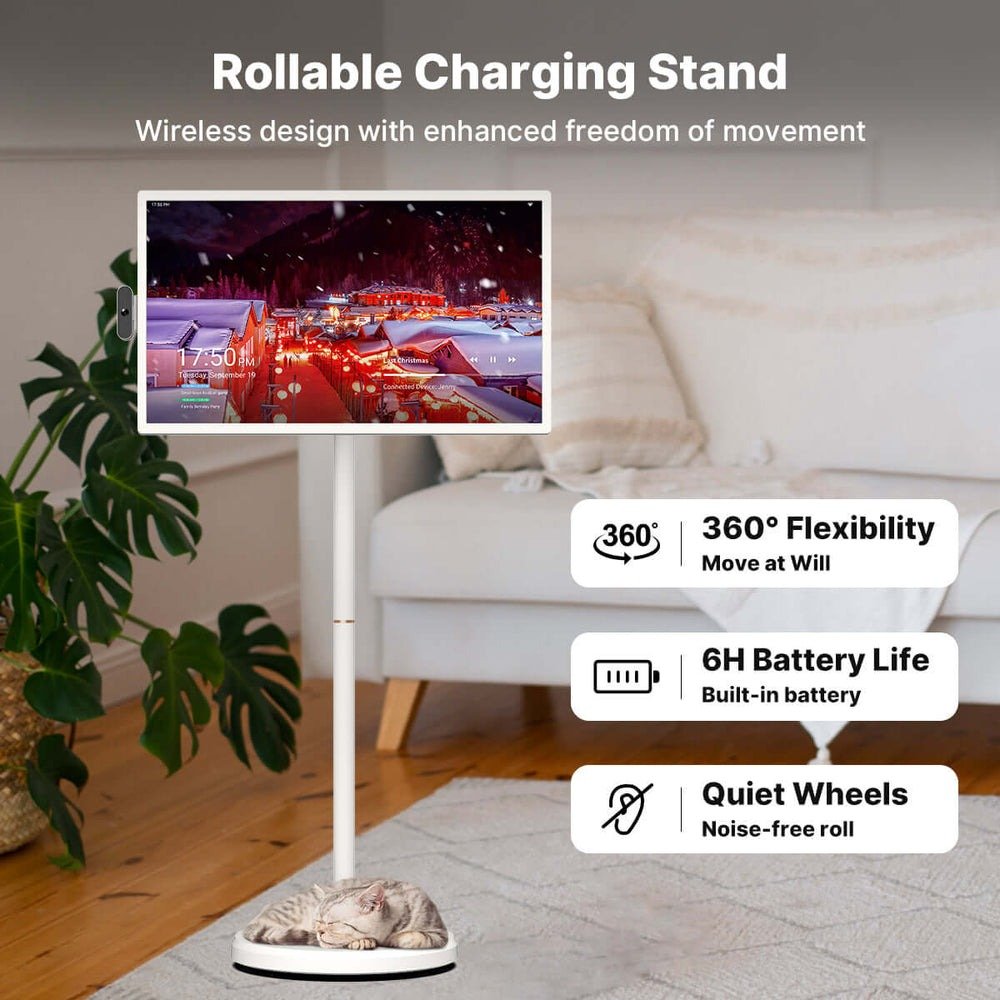
The portable entertainment angle opens even more possibilities. Tablets, smartphones, and portable TVs like those from ApoloSign already sync with your calendar and cloud albums, which means road trips and waiting rooms become opportunities to relive memories together. Set your tablet to display a scheduled slideshow during long car rides, giving kids a rotating window into family adventures instead of another streaming episode. Some families even cast their photo calendars to hotel room TVs using Chromecast or AirPlay during vacations, turning any screen into a temporary digital frame. By extending your system beyond a single device, you create an immersive memory experience that travels with your family — accessible anywhere, updated automatically, and always ready to spark a conversation about the moments that matter most.
Practical Tips for Families to Preserve and Display Memories
Keep your photo library manageable by dedicating ten minutes each week to curating — delete duplicates, flag favorites, and sort new shots into themed albums like “holidays,” “milestones,” or “everyday moments.” This small habit prevents your shared albums from becoming cluttered and ensures your digital frame always displays intentional, meaningful content rather than random screenshots or blurry outtakes.
Use your digital calendar to mark upcoming occasions — anniversaries, first days of school, reunions — and set reminders a few days ahead so family members have time to upload relevant photos before the event triggers a display rotation. For privacy, stick to platforms that offer password-protected sharing and limit contributor access to trusted family members only. Avoid public album links, and periodically review who has upload permissions. Finally, rotate your frame’s placement seasonally; moving it from the living room to the dining area during holidays or to a home office during quieter months keeps the experience fresh and ensures your memories stay part of daily life rather than fading into background décor.
Transform Your Family Photos Into an Automated Living Gallery
Turning your family’s scattered photo collection into a beautifully organized, automatically updating display system is more achievable than most people realize. By repurposing a digital calendar as a content management tool, you gain the power to schedule, automate, and coordinate photo sharing across every screen in your home — and beyond. The key steps are straightforward: choose a digital photo frame or smart display that balances style with strong connectivity, set up a dedicated photo calendar linked to your cloud albums, and invite family members to contribute so the experience stays collaborative and fresh.
Whether you opt for a versatile digital photo frame as your primary display or add a neon light frame as an eye-catching accent piece, the combination of calendar-driven automation and shared albums ensures your memories stay visible, relevant, and effortlessly updated. Smart displays and portable devices extend that experience into every room and every trip, making photo sharing something that happens naturally rather than requiring constant attention. Start small — create one shared album, schedule one recurring event, and invite one family member to contribute. Once you see how seamlessly your memories begin rotating through your home, you’ll wonder why you ever left those thousands of photos buried in your camera roll. Your family’s story deserves to be seen, and now you have the tools to make that happen every single day.