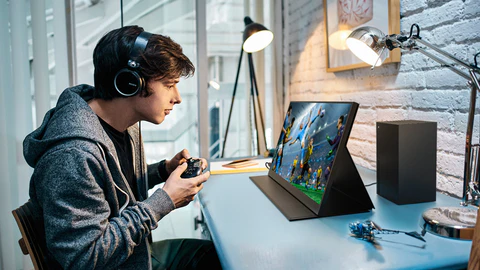
Portable gaming monitors are an absolute blessing for gamers who want a way to play with the sharpest picture quality but can’t always do so at home on their huge rigs. Multiplayer nights at your friend’s house, tournaments, LAN events, or traveling setups are all a piece of cake with a portable monitor. And one of the things that you should take into account before buying one is the aspect ratio. Aspect ratio plays a massive role in both field of view and immersion, screen real-estate, performance in certain games and even more.
So, let’s jump straight into the important stuff and check what is the best aspect ratio for portable gaming monitors. I’ll include a detailed comparison table and an aspect ratios FAQ section for you to make an informed decision for yourself.
What is Aspect Ratio?
Aspect ratio is simply a proportional relationship between the monitor’s screen’s width and height. It is always represented with 2 numbers separated by a colon, for example, 16:9 or 21:9.
Width
This value is the number of horizontal pixels on the monitor screen.
Height
This value is the number of vertical pixels on the screen.
The ratio of the two numbers would then be the aspect ratio of the monitor. For example, on a 16: 9 screen, the aspect ratio shows us that for every 16 horizontal pixels, there are 9 vertical pixels.
Aspect Ratio Recommendations for Portable Gaming Monitors
Portable gaming monitors are available in all the popular aspect ratios on the market, from 16:9 to ultra-wide 32:9. Let’s start with the most common ones and what scenarios they are best suited for.
| Aspect Ratio | Description | Pros | Cons | Ideal Use Cases |
| 16:9 | Standard widescreen, most common for gaming and video | Widely supported, compatible with most games, good balance between width and height | Can feel narrow for immersive games or multitasking | Console gaming, esports, general PC gaming |
| 16:10 | Slightly taller than 16:9 | More vertical space, better for strategy games and productivity | Less common, limited availability | RPGs, RTS games, work & play hybrid setups |
| 21:9 | Ultra-wide cinematic ratio | Expansive field of view, more immersive for open-world games | Higher GPU demand, may have black bars in some games | Open-world RPGs, racing, simulation games |
| 32:9 | Super ultra-wide, essentially two 16:9 screens side by side | Extremely immersive, great for multitasking | Very expensive, limited portable options, heavy GPU load | Racing simulators, professional multitasking setups |
| 18-inch Portable Monitor | Large portable display supporting common gaming aspect ratios | Bigger screen for better immersion while remaining travel-friendly | Less compact than smaller portable monitors | Portable gaming setups, LAN events, travel gaming, hybrid work & play |
1. Field of View (FOV)
Aspect ratio directly affects the field of view you get to enjoy in your games. Ultra-wide aspect ratios like 21: 9 have a higher field of view than narrower ratios. You will be able to see more on a wider screen and less on a narrower one. This is especially impactful for games like racing, RPG, and simulation games, where more visibility gives you an advantage.
In contrast, the most popular competitive FPS games have no set aspect ratio and still heavily favor 16:9 as the most competitive one. The wider FOV is seen as not giving you much of an advantage, and some studies even show that a wider screen may distort image perception and be counterproductive.
2. Immersion
It goes without saying that wider monitors are more immersive. An ultra-wide 21: 9 or even 32:9 screen can offer you a panoramic view of the game world and make your experience even more realistic and cinematic. On portable monitors, the wide screen can enhance single-player games to the point where you don’t need a dedicated desktop setup to enjoy them.
3. Performance
The wider the aspect ratio, the more pixels the graphics card has to render horizontally. This means that, on a portable monitor, a wider aspect ratio will hurt your frame rates faster if your GPU is not beefy enough. If you are playing on a console or on a mid-tier gaming laptop, you should keep aspect ratios in mind. A portable monitor for laptop paired with a balanced 16:9 or 16:10 aspect ratio helps maintain smooth performance without putting extra strain on your system.
4. Portability
Portability vs. ultra-wide is another topic where the two sides almost never meet. It should be no surprise that a 21: 9 or a 32:9 portable gaming monitor would be larger in size and heavier than a more regular 16:9 or 16:10 model. To not compromise on usability, performance, and portability, most portable gaming monitors are only available in 16:9 or 16:10.
5. Content Compatibility
Older games and some console titles only support the 16:9 aspect ratio. If you go with a 21: 9 or 32:9 monitor, you will have to play around with the modes on your TV or get into a letterboxing mode where the image is framed with black bars at the top and bottom. For some competitive games, the screen may stretch to the width, which is also not an ideal outcome. Before opting for a 21: 9 or 32:9 portable gaming monitor, make sure that your favorite games support these ultra-wide formats.
18 Inch Portable Monitor
For gamers seeking a balance between screen size and portability, an 18 inch portable monitor is an excellent choice. It provides a larger viewing area compared to standard 15.6-inch monitors, enhancing immersion in RPGs, racing, and cinematic games, while still being compact enough to carry easily for travel or LAN events. With options supporting both 16:9 and 21:9 aspect ratios, these monitors allow you to enjoy wide fields of view without sacrificing mobility or convenience.
Aspect Ratio: Choosing the Right One
1. Define your Gaming Purpose
- Competitive FPS/Esports: 16:9 is your best choice. No doubt.
- Open-world RPG or Simulation: 21:9 for more immersion.
- Hybrid Gaming and Productivity: 16:10 for some extra vertical space.
2. Consider your Device
Make sure that your gaming laptop or console is also capable of handling the desired aspect ratio at the right resolution. Some portable monitors offer multiple display modes which may come in handy.
3. Check your Portability Needs
Ultra-wide monitors are anything but portable. If you often travel, a 16: 9 or 16:10 portable gaming monitor would be your best bet for the best screen to size and weight ratio. An 18-inch portable monitor offers a larger, more immersive display while still remaining travel-friendly for gamers on the move.
4. Evaluate your GPU Performance
Be mindful of your GPU’s capabilities. If it cannot provide enough horsepower for a wider screen, you should go with something less demanding to get smoother gameplay.
5. Test it out if possible
If you have a chance, try out different aspect ratios in-store or on gaming events. Some portable monitors allow you to switch between 16: 9 and 21:9 display modes, so this could be an advantage.
Aspect Ratio Recommendations for Popular Scenarios
| Scenario | Recommended Aspect Ratio | Reasoning |
| Console Gaming (PS5/PS6, Xbox) | 16:9 | Most console games are optimized for 16:9. |
| Competitive FPS Gaming | 16:9 | Standardized, better aim perception, and minimal stretching. |
| Open-world RPG | 21:9 | Provides a panoramic, cinematic view. |
| Strategy & Simulation Games | 16:10 or 21:9 | Extra vertical or horizontal space helps with maps and menus. |
| Mobile Setup / Travel | 16:9 | Lightweight, portable, and widely compatible. |
Aspect Ratio vs Resolution
Aspect ratio must not be confused with resolution. Resolution is a total number of pixels a screen can display (for example, 1920×1080 or 2560×1440). For example:
- 16:9 monitors: 1920×1080(Full HD) or 2560×1440(QHD)
- 21: 9 monitors: 2560×1080(Ultra-Wide Full HD) or 3440×1440(Ultra-Wide QHD)
- 18-inch portable monitors: Commonly use Full HD or QHD resolutions in a 16:9 or 16:10 aspect ratio, balancing sharp visuals with portability.
The higher the resolution on wider aspect ratios, the higher the pixel count. The more pixels on a screen, the more power your GPU will need to render them. Therefore you must keep a balance and not aim for the highest resolution with the widest aspect ratio you can find. For example, choosing a well-balanced portable monitor that’s widely recommended as the best portable monitor for PS6 can help ensure smooth performance without overloading your console.
Frequently Asked Questions (FAQs)
Q1: Can I use a 21:9 aspect ratio monitor with my PS5 or PS6?
A1: While it may be supported by the console, most games will still be 16:9 optimized. So you will end up letterboxing or stretching the image on games that are not in a native ultra-wide format.
Q2: Is a 16:10 portable monitor better than a 16:9 portable monitor for gaming?
A2: A 16:10 offers slightly more vertical space, which will come in handy for strategy games, RPGs, and if you want to multitask between games.
Q3: Do wider monitors reduce FPS?
A3: Yes, the wider the screen the more pixels your GPU will have to render, which will ultimately result in lower FPS for less beefy systems. Keep an eye on your GPU capability before going all-out on ultra-wide monitors.
Q4: Are 32:9 portable monitors available?
A4: Not really, as 32:9 or Super UltraWide is the type of monitor you would usually find in desktop setups. Portable 32: 9 monitors are extremely rare due to the impracticality of size and weight when traveling.
Q5: What is the best aspect ratio for competitive FPS?
A5: 16:9 by far. 16: 9 is considered the most competitive aspect ratio, as it provides a standardized FOV, lower distortion, and works with all major competitive games.
Q6: Can I switch between aspect ratios on a portable monitor?
A6: Some new models of portable monitors allow switching between 16:9 and 21:9 with their own display modes. Be sure to check your monitor’s specifications to see if it is possible.
Wrapping Up
Finding the right aspect ratio for your portable gaming monitor can have a major impact on your gaming experience. And while 16: 9 is still king and the most popular among all major platforms, 21:9 and even 16:10 have a place among more cinematic and productivity-focused setups. You should base your choice of aspect ratio on the type of games you play, device support, portability needs and overall GPU performance.
This way, you can be sure that your portable gaming monitor will provide you with the best ratio of performance, immersion and convenience for your needs, whether it is playing competitively, enjoying an RPG, or just working on the go.
At the same time, you need to remember that there is no one-size-fits-all solution here, and the most important thing is to know what aspect ratios are and why they are important. By understanding these differences, you can then choose the aspect ratio which is the right one for you and your lifestyle.