When building or upgrading a PC, one of the most common questions is whether to invest in budget or high-end parts. With so many PC Components available in the market, it’s easy to feel overwhelmed by choices and prices. Some components deliver massive performance gains when upgraded, while others offer diminishing returns even at premium prices. In this guide, we’ll break down the difference between budget and high-end PC components and reveal which parts truly impact performance, gaming experience, and overall value for money.
Understanding Budget vs High-End PC Components
Before diving into individual parts, it’s important to understand what “budget” and “high-end” mean in the context of PC components.
- Budget PC Components are affordable parts designed to deliver decent performance for everyday tasks and casual gaming.
- High-End PC Components are premium parts built for maximum performance, advanced features, and future-proofing.
The key is not to blindly choose expensive parts, but to invest wisely in components that actually improve real-world performance.
1. Graphics Card (GPU): The Biggest Game-Changer
If there’s one component that makes the biggest difference in gaming and visual performance, it’s the GPU.
Budget GPU
Budget GPUs are ideal for:
- 1080p gaming
- Casual gaming
- Entry-level creative tasks
They offer solid performance but may struggle with high graphics settings or modern AAA games.
High-End GPU
High-end GPUs deliver:
- Ultra graphics settings
- High frame rates
- Ray tracing and advanced visual effects
- Smooth 1440p or 4K gaming
For gamers, upgrading from a budget GPU to a high-end one often results in the most noticeable performance boost.
Verdict: If gaming is your priority, the GPU is the most important PC component to upgrade.
2. Processor (CPU): Performance vs Practicality
The CPU is the brain of your PC, responsible for processing instructions and handling multitasking.
Budget CPU
Budget CPUs are great for:
- Everyday computing
- Office work
- Light gaming
- Basic multitasking
They provide excellent value but may bottleneck high-end GPUs in demanding games.
High-End CPU
High-end CPUs excel in:
- Competitive gaming
- Streaming and content creation
- Heavy multitasking
- Professional workloads
However, in many games, the difference between a mid-range and high-end CPU is not as dramatic as the GPU upgrade.
Verdict: Invest in a balanced CPU mid-range CPUs often offer the best value among PC components.
3. RAM: How Much Really Matters?
RAM plays a crucial role in system responsiveness and multitasking.
Budget RAM
- Typically 8GB to 16GB
- Suitable for most users and gamers
- Affordable and widely available
High-End RAM
- 32GB or more
- Faster speeds and lower latency
- Useful for professional applications
For gaming, the difference between budget and high-end RAM is often minimal unless you’re running heavy applications or multitasking extensively.
Verdict: 16GB of quality RAM is the sweet spot for most users.
See also: How PPSSPP Gold APK Keeps Classic PSP Games Alive in 2025
4. Storage: SSD vs HDD vs NVMe
Storage is one of the most underrated PC components.
Budget Storage
- Traditional HDDs or basic SSDs
- Slower boot times and loading speeds
High-End Storage
- NVMe SSDs with ultra-fast speeds
- Instant boot and quick game loading
Upgrading from an HDD to an SSD is one of the most noticeable improvements in everyday use.
Verdict: Prioritize SSD or NVMe storage over expensive upgrades in other components.
5. Motherboard: Features vs Necessity
Motherboards determine compatibility and features but rarely impact raw performance.
Budget Motherboard
- Basic features
- Limited expansion options
High-End Motherboard
- Advanced features
- Better power delivery
- More connectivity options
For most users, a mid-range motherboard is sufficient.
Verdict: Don’t overspend on a motherboard unless you need specific features.
6. Power Supply (PSU): Quality Over Price
The PSU is often overlooked but critical for system stability.
Budget PSU
- Lower efficiency
- Potential reliability issues
High-End PSU
- Higher efficiency (80+ Gold or Platinum)
- Better safety and longevity
Verdict: Invest in a reliable PSU that protects your entire system.
7. Cooling System: Performance and Longevity
Cooling affects performance and component lifespan.
Budget Cooling
- Stock air coolers
- Adequate for basic builds
High-End Cooling
- Premium air coolers or liquid cooling
- Better thermal performance and aesthetics
Verdict: Upgrade cooling if you use high-end components or overclock.
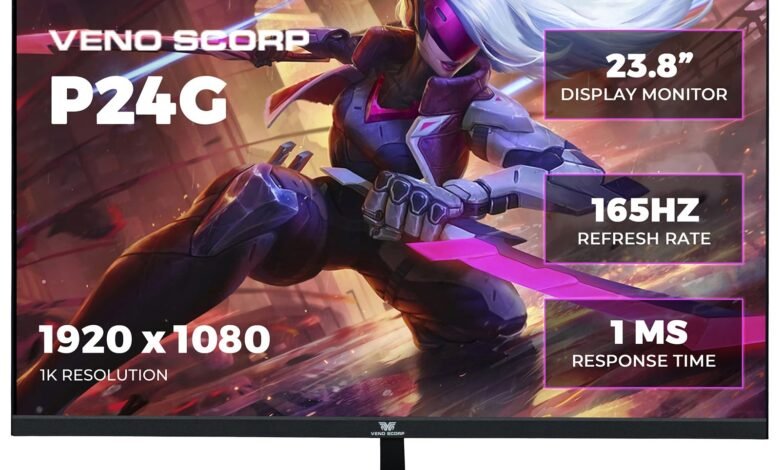
8. Gaming Monitor: The Hidden Upgrade
Many people focus on internal PC components but forget the importance of a Gaming monitor.
Budget Gaming Monitor
- 60Hz refresh rate
- Basic resolution (1080p)
- Suitable for casual gaming
High-End Gaming Monitor
- 144Hz, 165Hz, or 240Hz refresh rates
- Higher resolutions (1440p or 4K)
- Faster response times
Even with powerful PC components, a low-quality monitor can limit your gaming experience.
Verdict: A high-refresh-rate gaming monitor can dramatically improve gameplay smoothness and immersion.
Which PC Components Make the Biggest Difference?
When comparing budget vs high-end PC components, not all upgrades are equal. The GPU, storage, and gaming monitor offer the most noticeable improvements, while CPUs and RAM provide diminishing returns beyond a certain point.
By understanding which PC components truly impact performance, you can build a powerful PC that delivers the best value for your budget.